Penulis · Smart Home Finds
admin
Kontributor di Smart Home Finds.
Artikel ini diterbitkan dan menjadi tanggung jawab redaksi Smart Home Finds.
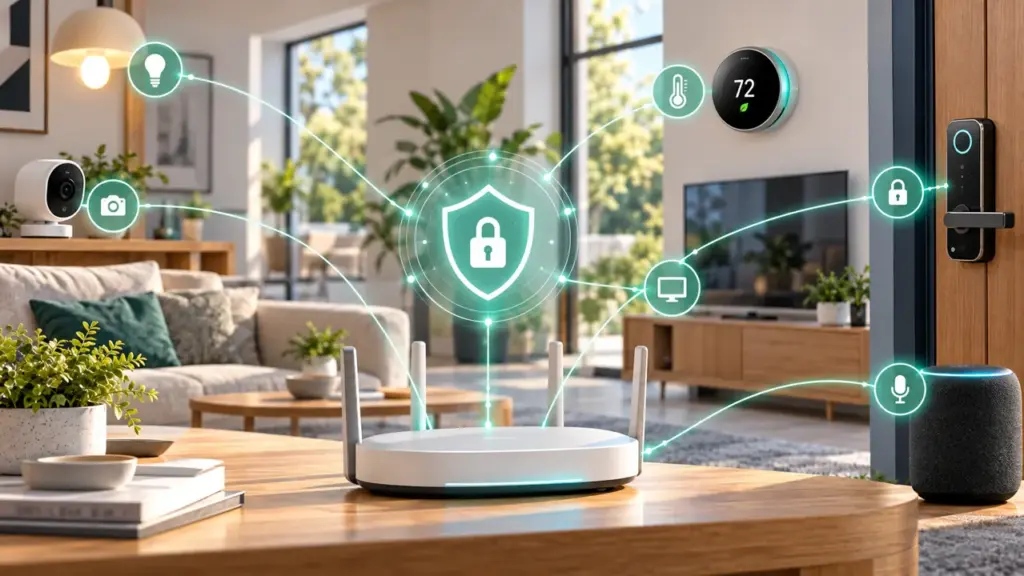
Learning how to secure your smart home network is essential as more lights, cameras, speakers, locks, and sensors connect to your home Wi-Fi. Every device can introduce security or privacy risks if it uses weak passwords, outdated software, or unnecessary remote access. The good news is that a few consistent steps can make your connected home safer without making it difficult to use.
Use this guide to secure your router, protect device accounts, review privacy settings, and create a simple maintenance routine.
1. Change your router’s default login details
Change the router administrator password from its default value and use a strong, unique password for your Wi-Fi network. These are separate credentials: the administrator password controls router settings, while the Wi-Fi password allows devices to join the network. Store both securely and avoid reusing passwords from other accounts.
2. Use strong Wi-Fi encryption
Choose WPA3-Personal when your router and devices support it, or WPA2-AES when WPA3 is unavailable. Avoid outdated security modes such as WEP. Check the router manufacturer’s guidance before changing settings, because older devices may not support newer modes.
3. Update router firmware and smart devices
Firmware updates can address security weaknesses and improve reliability. Enable automatic updates when appropriate, or check the manufacturer’s app and support pages regularly. Replace or isolate devices that no longer receive security updates if they create an unacceptable risk.
4. Secure every device account
Use a unique password for each smart home account and enable two-factor authentication or multi-factor authentication wherever available. Protect the email account used for password recovery as well. Avoid sharing a single administrator login with everyone in the household; use individual accounts or guest access if the platform supports them.
5. Separate guest and smart home devices where possible
If your router supports a guest network or dedicated IoT network, consider using it for visitors and compatible smart devices. Network separation can reduce exposure, but it is not a guarantee: check whether the router actually isolates devices and whether your smart home hub needs local access to other equipment. Follow the router’s instructions to preserve required functionality.
6. Turn off remote access you do not need
Remote access can be useful, but it increases the number of ways a device or account can be reached from outside your home. Disable router administration from the internet and other remote-access features unless you need them and understand how to secure them. Avoid exposing device management interfaces directly to the internet.
7. Review camera privacy and app permissions
Check who can view camera feeds, doorbell recordings, microphones, and other sensitive data. Remove access for people who no longer need it, review recording retention settings, and restrict app permissions to what is necessary. Place cameras thoughtfully and let household members know when monitoring is active.
8. Remove unused devices and review access
Delete devices you no longer use from your smart home app and revoke access for old phones, former household members, or third-party services you no longer trust. Before selling or giving away a device, follow the manufacturer’s factory-reset instructions and remove it from your account.
9. Keep manual alternatives for essential functions
Plan for internet outages, depleted batteries, and device failures. Keep a physical key, manual switch, or other appropriate fallback for essential functions such as entering your home or operating important lights. Test backups safely and follow the manufacturer’s instructions for locks, alarms, and electrical equipment.
Smart home network security checklist
- Change the router administrator password and use a strong Wi-Fi password.
- Enable WPA3 or WPA2-AES where supported.
- Install router, hub, and device firmware updates.
- Use unique account passwords and enable two-factor authentication.
- Consider guest or IoT network isolation and verify how it works.
- Disable unused remote administration and services.
- Review camera sharing, app permissions, and data retention.
- Remove unused devices and old account access.
- Keep manual alternatives for essential functions.
For a broader step-by-step review, use the Smart Home Security Checklist. If you are planning a new setup, our guide on how to plan a smart home before buying devices can help you consider security before making purchases.
Frequently asked questions
Should I put smart home devices on a separate Wi-Fi network?
It can help reduce exposure when your router supports effective isolation. Confirm how the network works and whether your hub needs access to other devices, since isolation settings can affect some automations.
How often should I update my smart home devices?
Install security updates when they are available and supported. Enable automatic updates where suitable, and check devices that require manual updates on a regular schedule.
Is a strong Wi-Fi password enough to secure a smart home?
No. Wi-Fi security is only one layer. You should also protect accounts, update firmware, review permissions, limit remote access, and remove devices or users you no longer need.
Final thoughts
The most effective way to secure a smart home network is to combine router security, protected accounts, updated devices, careful privacy settings, and regular reviews. Start with the router and account protections, then work through the checklist device by device. For more practical smart home advice, visit Smart Home Finds.
Editorial note: Router settings and security features vary by model and manufacturer. Check current documentation and use a qualified professional for safety-critical installation work.