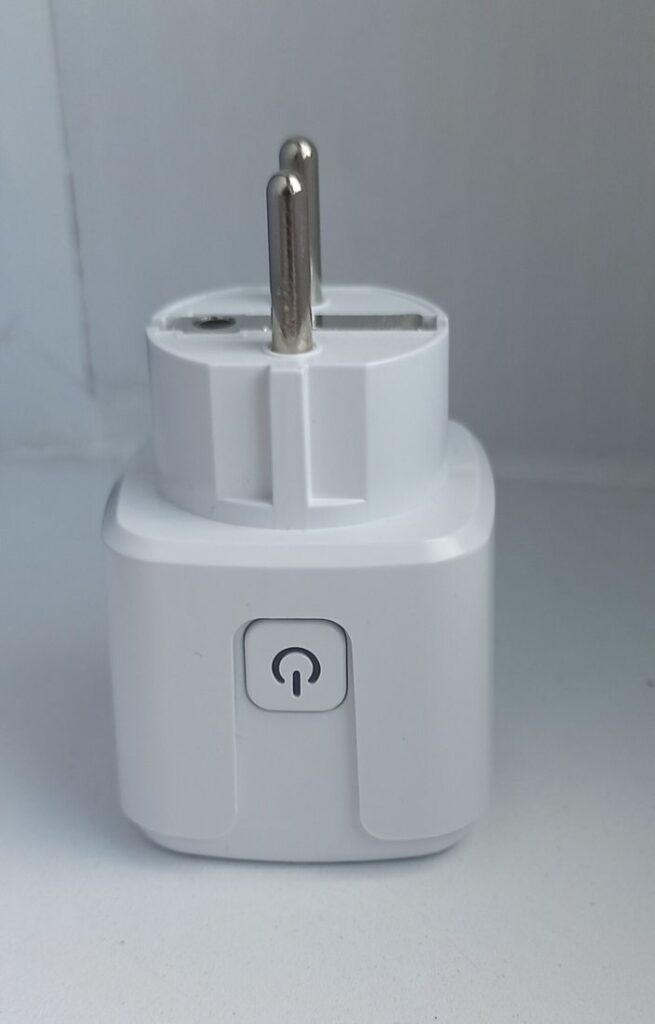
Learn how to set reliable smart-plug schedules, avoid unsuitable electrical loads, reduce false assumptions, and create safe manual fallbacks.
Choose the right appliance before creating a schedule
Smart plugs can make ordinary appliances easier to control, but they are not appropriate for every electrical device. Check the plug’s electrical rating, the appliance requirements, and the manufacturer’s stated usage limits. Avoid connecting equipment with an unsuitable load or relying on a remotely controlled outlet for a critical safety function. Appliances that produce significant heat, have motors with high starting currents, or require supervision deserve particular caution. When electrical suitability is uncertain, ask a qualified professional rather than experimenting. Automation should not bypass normal safety instructions.
Name each outlet so its purpose is unmistakable
An app filled with labels such as Plug 1 and Socket 2 becomes confusing when the household grows. Name a device by its location and controlled appliance, for example Living Room Lamp. Confirm that the outlet responds to the intended command before creating any routine. If two devices are close together, test them separately. A clear name also reduces the chance of switching off equipment that someone else is using. Document which physical socket belongs to which app entry, especially in homes with several users.
Use schedules that match actual routines
A useful routine should fit a predictable activity, such as turning a decorative lamp on in the evening. Start with a basic on and off time, then check whether daylight changes, travel days, or weekends make the schedule inconvenient. Do not layer motion rules, geofencing, and calendar exceptions before confirming a straightforward schedule works. The original smart plug setup guide covers the basic installation considerations. Simple rules are easier to diagnose after a router restart or power interruption.
Check default behavior after outages
Some smart plugs remember their previous state after power is restored, while others may use a different default. This matters if an appliance would be inconvenient or unsafe to activate unexpectedly. Consult the model’s documentation and test its actual behavior under safe conditions. Make sure family members know how to operate the device manually if the app is unavailable. An automation that fails silently can be more disruptive than no automation, particularly when people assume a device is off.
Keep notification and remote access settings intentional
Not every plug needs to send a message when it changes state. Excess notifications make truly useful alerts easier to miss. Restrict remote access to accounts that need it, enable multifactor authentication where offered, and remove unused shared accounts. Review integrations that connect the plug to voice assistants or third-party routines. For wider planning considerations, the beginner smart home upgrade guide can help prioritize changes that offer clear value without adding unnecessary complexity.
Evaluate the result rather than collecting more rules
After a week, ask whether the routine saved time, reduced forgotten tasks, or made an activity more convenient. Keep notes on missed triggers and unexpected behavior. If a schedule creates extra work, simplify it. If it depends on unstable connectivity, improve the network before purchasing more devices. Good automation is generally uneventful: it performs a modest task reliably and remains understandable to everyone who uses it. That is a better success measure than the total number of scenes in an app.
Foto utama: Sokolikmawwer0. Lisensi CC BY-SA 3.0.


