Penulis · Smart Home Finds
admin
Kontributor di Smart Home Finds.
Artikel ini diterbitkan dan menjadi tanggung jawab redaksi Smart Home Finds.
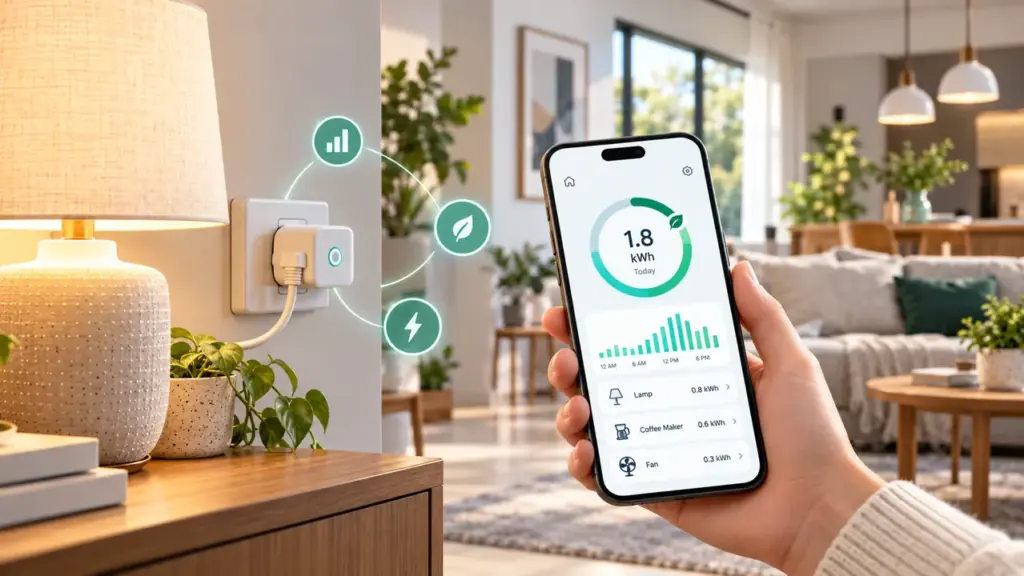
A smart plug energy monitoring setup can help you understand how much electricity a connected appliance uses, but the numbers only become useful when you know what they mean. Some smart plugs report power in watts, energy in kilowatt-hours, and estimated cost. Others offer only on/off scheduling. This guide explains how to compare readings, spot waste, and avoid common assumptions before buying.
1. Check whether the plug actually measures energy
Not every smart plug includes energy monitoring. Look for explicit support for live power (W), accumulated energy (kWh), and historical usage inside the manufacturer’s app. A timer or remote-control feature alone cannot tell you how much power an appliance consumes.
Also check the plug’s rated voltage, maximum current, grounded socket compatibility, and local electrical certification. Never use a plug beyond its rating or with equipment the manufacturer excludes, such as certain heaters or motor-driven appliances.
2. Understand watts versus kilowatt-hours
Watts (W) describe how quickly a device uses electricity at a moment in time. Kilowatt-hours (kWh) measure energy used over time. For example, a device drawing a steady 50 W for 10 hours uses 0.5 kWh: 50 × 10 ÷ 1,000. Real appliances may vary their power throughout the day, which is why measured totals can be more useful than a nameplate rating.
3. Measure a normal week before changing anything
- Pick a compatible, low-risk device such as a lamp or entertainment accessory.
- Reset the plug’s energy counter according to its instructions.
- Record daily kWh totals for seven typical days.
- Note when the device is actively used and when it is idle.
- Repeat the measurement after changing a schedule or standby habit.
Compare similar days rather than assuming a single day represents a whole month. Device use, weather, and household routines can change the result.
4. Calculate the cost without guessing
Multiply the measured kWh by your electricity price per kWh. For example, 6 kWh × a hypothetical rate of $0.20/kWh equals $1.20 in energy charges. Your actual bill may also include fixed charges, taxes, time-of-use rates, or other adjustments, so use your utility’s current tariff instead of treating an app estimate as the final bill.
5. Identify useful automations
Scheduling a nonessential accessory to turn off overnight may reduce waste if it otherwise draws meaningful standby power. But a smart plug also uses a little electricity itself. Measure the before-and-after totals rather than assuming every automation saves money. Avoid cutting power to devices that need continuous operation, safe shutdown, medical support, recording, or automatic updates.
6. Keep privacy and reliability in mind
Energy histories can reveal household routines. Review cloud-sync options, account permissions, and app privacy settings. Keep the plug firmware updated and use a unique account password. For broader guidance, see our smart home security checklist and privacy checklist.
Smart plug monitoring: quick comparison
| Feature | What it tells you | Important limitation |
|---|---|---|
| Live watts | Power draw right now | May change second to second |
| Daily kWh | Energy used during the day | Check when the counter resets |
| Cost estimate | Approximate energy charge | Needs the correct tariff |
| Scheduling | When power turns on or off | Does not guarantee savings |
Frequently asked questions
Does any smart plug show energy use?
No. Choose a model that explicitly lists energy monitoring and the readings you need.
Can I measure a refrigerator or space heater?
Only when the manufacturer explicitly permits that appliance type and the plug meets all electrical and load requirements. High-current and compressor loads require particular care.
Will a smart plug automatically lower my bill?
No. It can provide information and control. Savings depend on the appliance, your habits, the plug’s own consumption, and any scheduling changes.
Bottom line: start with a safe, compatible appliance, measure a representative baseline, then change one habit at a time. The most useful smart plug is the one that gives reliable data you can act on.