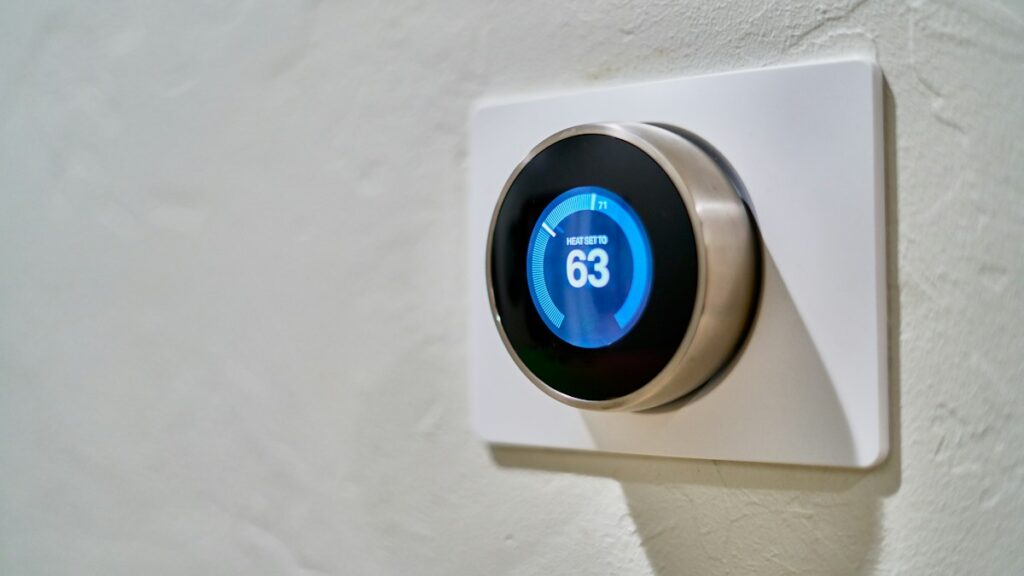

A smart thermostat can schedule heating and cooling, but even a sophisticated algorithm relies on temperature readings that represent the space people actually occupy. Install the thermostat beside a sunny window or directly above a vent, and it may respond to a local hot or cold spot instead of the whole room.
Before blaming the device or changing its schedule, look at where it measures the air and what might influence that reading.
Choose an Interior Location That Represents the Room
When the system design allows it, a thermostat normally works best on an interior wall in an area with ordinary air circulation. Avoid cramped corners, enclosed shelves, and spots hidden behind curtains or furniture. Read the manufacturer’s installation instructions for the required mounting height, wiring, clearances, and compatibility with your heating or cooling system.
Do not relocate a wired thermostat casually. Thermostat wiring and heating controls vary, and some installations involve electrical hazards or equipment-specific requirements. Ask a qualified HVAC technician or electrician whenever the wiring, voltage, or system compatibility is uncertain.
Keep It Away from Direct Sun and Heat Sources
Sunlight hitting a thermostat can make its sensor read warmer than the surrounding room. Nearby ovens, lamps, televisions, chargers, or other heat-producing devices may have a similar effect. This can cause cooling to run longer than necessary or heating to stop too early.
Watch whether the indicated temperature rises at the same time sunlight crosses the wall. If it does, compare with a separate thermometer placed in a shaded, occupied part of the room. Allow the thermometer to stabilize before interpreting the difference.
Beware of Drafts, Doors, and Supply Vents
A thermostat close to an exterior door may sense short bursts of outdoor air whenever someone enters. A thermostat beside an air-conditioning supply vent may cool faster than the rest of the home, causing the system to stop prematurely. Drafty wall cavities and unsealed cable openings can also influence a sensor.
Check the airflow around the thermostat while heating or cooling is running. Do not block a supply register to fix a reading problem; doing so can affect equipment performance and room comfort. Instead, document the airflow issue and consult the installer’s guidance.
Understand Remote Room Sensors
Some ecosystems can use additional room sensors or temperature averaging. These can improve comfort in bedrooms or living spaces that differ from a central hallway, but not every thermostat supports them, and averaging behavior varies by product.
Read the manufacturer’s documentation to learn when a remote sensor takes priority. For example, a nighttime schedule may use a bedroom sensor while a daytime schedule prioritizes the living area. Test the result over several ordinary days rather than changing many settings simultaneously.
Check Your Results Before Making Changes
- Record the thermostat reading and an independent thermometer reading at the same time of day.
- Check whether direct sunlight, cooking, or a nearby vent coincides with a sudden shift.
- Confirm the device’s units and calibration options; do not apply a large offset to mask a bad installation site.
- Review schedules, occupancy modes, and geofencing to rule out an automation issue.
- Consult an HVAC professional if temperatures remain inconsistent, equipment cycles unusually often, or wiring changes are needed.
Make Comfort the Goal
A thermostat reading is a useful indicator, but comfort also depends on humidity, airflow, insulation, and how temperatures vary between rooms. Start by improving sensor placement and observing how the system behaves, then adjust scheduling and setpoints. If you are preparing an interconnected home from scratch, our smart home readiness checklist helps identify wider setup issues.
Bottom line: More accurate temperature control starts with representative measurements, not more aggressive automation.
Related Smart Home Finds guides
About the Author
Rania Nugraha
Devices and Connectivity
Rania Nugraha is an editorial pen name used by the Smart Home Finds team for connected devices, product-selection guides, compatibility, and home technology. Articles under this byline help readers understand specifications, compare practical requirements, and consider reliability, security, and ongoing costs before choosing a device. The content is managed and reviewed by the editorial team. This pen name does not represent a verified individual expert or imply professional qualifications.
This content is published through the editorial process of Smart Home Finds. Editorial pen names identify writing roles and do not constitute verified personal identity, employment history, or professional credentials.


