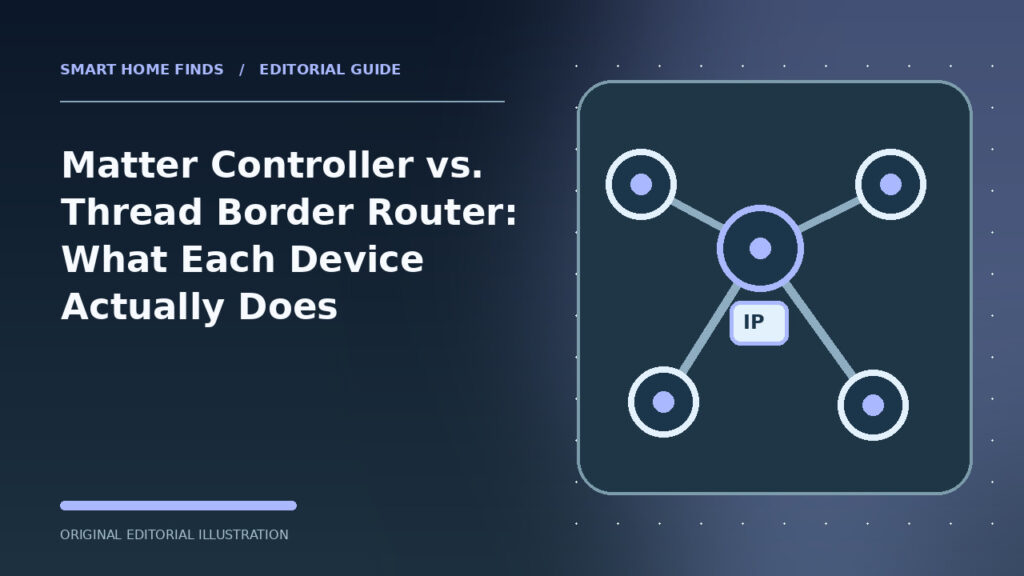

Smart-home product pages frequently mention Matter, Thread, controllers, and border routers as though they are interchangeable. They are not. A Matter controller helps commission and manage compatible devices, while a Thread border router connects a Thread mesh network to the surrounding IP network. Understanding those jobs can prevent buying the wrong hub for a new sensor or smart lock.
Start with the job of a Matter controller
A Matter controller is the part of an ecosystem that adds and manages Matter devices and exposes them in an app or automation platform. It handles commissioning and ongoing device interaction within the capabilities supported by that ecosystem. A smart speaker, hub, or software platform may provide this role.
A Matter logo on a device does not mean every feature of the manufacturer's app will appear in every controller. Device type, supported functions, software version, and the platform's integration still matter.
Understand the Thread border router
Thread is an IP-based, low-power mesh networking technology. A Thread border router links devices on that mesh to other IP networks, allowing traffic to pass between the Thread side and the rest of the local network.
A border router does not automatically serve as the user-facing Matter controller. Some products perform both roles, while others provide only one. Check the actual product specifications rather than relying on the words 'hub' or 'bridge' alone.
Choose based on how the device connects
A Matter-over-Wi-Fi product generally uses the home's normal Wi-Fi access point, together with a compatible Matter controller. A Matter-over-Thread device requires a usable Thread network and border-router path in addition to a controller.
The exact commissioning process depends on the ecosystem and device. Bluetooth may help during initial setup even though the device later communicates through Wi-Fi or Thread. Keep the phone, controller, and supported network arrangement available as the manufacturer directs.
Do not assume every Thread network is joined
Multiple border routers can be beneficial when correctly configured, but devices from different ecosystems may create separate Thread networks if credentials are not shared or setup is inconsistent. Seeing two routers in a house does not guarantee that they form one seamless network.
Use your ecosystem's diagnostics to check which Thread network a device has joined. Avoid deleting or resetting a border router without understanding whether other devices rely on it.
Diagnose failures in the right order
If a Thread device cannot be added, check the advertised compatibility, controller availability, border-router connectivity, and any platform-specific commissioning requirements. For intermittent operation, inspect power and network stability before assuming the Matter protocol itself has failed.
Back up your configuration where supported before factory resets or network migrations. The Home Assistant documentation provides a useful distinction between the controller and border-router roles, though the exact steps may differ in other ecosystems.
Build a small purchasing map
List each planned device and whether it uses Matter over Wi-Fi, Matter over Thread, or a different integration entirely. Then list the devices you already own that provide a Matter controller or Thread border router. This makes missing pieces visible without buying redundant hardware.
Check current official compatibility information at the time of purchase. Software updates can add support, but promises of future functionality should not substitute for a feature you need today.
Checklist before you finish
- Matter controller is identified
- Thread border router is available where needed
- Transport type is confirmed for each new device
- Controller and device capabilities were checked
- Existing Thread network configuration is documented
Think of a controller as the part that manages Matter devices and a border router as the network connection for Thread devices. Some hubs combine the two, but the labels describe different tasks. Knowing which one is missing is the fastest path to a sensible upgrade.
Further reading: Home Assistant: Matter Connectivity Overview.
Related guide: Matter vs Thread vs Zigbee vs Wi-Fi: 7 Essential Tips.
Related Smart Home Finds guides
About the Author
Rania Nugraha
Devices and Connectivity
Rania Nugraha is an editorial pen name used by the Smart Home Finds team for connected devices, product-selection guides, compatibility, and home technology. Articles under this byline help readers understand specifications, compare practical requirements, and consider reliability, security, and ongoing costs before choosing a device. The content is managed and reviewed by the editorial team. This pen name does not represent a verified individual expert or imply professional qualifications.
This content is published through the editorial process of Smart Home Finds. Editorial pen names identify writing roles and do not constitute verified personal identity, employment history, or professional credentials.


